
Helldivers 2 is a cooperative third-person shooter developed by Arrowhead Game Studios and published by Sony Interactive Entertainment. Players take on the role of Helldivers - elite soldiers fighting to protect Super Earth from alien threats including the Terminids, Automatons and Illuminate factions.
The game features a persistent Galactic War metagame where all players contribute to liberating planets across the galaxy. Its UI is built around a military sci-fi aesthetic with yellow highlights, angular panels and a diegetic ship hub that serves as the main menu.
Title and Onboarding
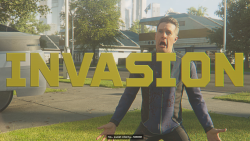
- Helldivers2 Title Screen.png


Main Menu
The main menu is accessed from the ship hub's terminal. It has three tabs - Game, Social and Options. The Game tab shows your squad, active Major Order and Personal Order. The Social tab handles friends, recent players and blocked players.


Ship Hub
The Destroyer serves as the game's main hub. Players walk around the ship in third person to access different stations - the Armoury, Acquisition Centre, Ship Management terminal and Galactic War table. NPCs aboard the ship provide dialogue and context for the war effort.


Acquisition Centre
The in-game store is split into three sections - Warbonds (battle pass style progression tracks), the Superstore (rotating item shop) and Super Credits (premium currency). Warbonds come in standard (free) and premium (1000 Super Credits) variants. The Superstore shows limited-time items with community reviews and ratings.


Armoury - Weaponry
The Weaponry section lets players equip their Primary weapon, Secondary weapon and Throwable. Each weapon shows a 3D preview, stat bars for damage/capacity/recoil/fire rate and weapon traits.


Armoury - Equipment
The Armoury tab handles Armour, Helmet and Cape selection. Each piece of equipment has armour rating, speed and stamina regen stats plus a unique passive ability. The Booster slot provides squad-wide buffs. The Career tab tracks lifetime statistics.


Character Customization
The Character section covers cosmetic options - Body Type, Voice Pack, Emote, Victory Pose, Player Card and Title. These are purely cosmetic and do not affect gameplay.


Ship Management
Ship Management handles the Destroyer's upgrades and loadout. The Destroyer tab shows ship progression and name. Stratagems are unlocked here with detailed stats including call-in time, uses and cooldown. Ship Modules provide passive upgrades to stratagems. Vehicle Customisation covers the Shuttle, Hellpod, Exosuit and Fast Recon Vehicle appearances.


Galactic War
The Galactic War is the persistent metagame. The war table shows a top-down galaxy map with faction territories (red for Automatons, yellow for Illuminate, brown for Terminids). Players select sectors, planets and operations to contribute to the war effort. Major Orders provide community-wide objectives with rewards.


Mission Deployment
The deployment sequence takes players from the Galactic War table to boots on the ground. After selecting a mission, the ship performs an FTL jump to the planet. Players then view the mission briefing with drop zone selection, choose their loadout (equipment and up to four stratagems) and launch via Hellpod.


Gameplay HUD
The in-game HUD shows health and stamina bars at the bottom left, a minimap at the bottom right, objectives in the top right and stratagem availability on the left. The stratagem input menu uses directional codes. A communication wheel provides quick callouts and emotes.


